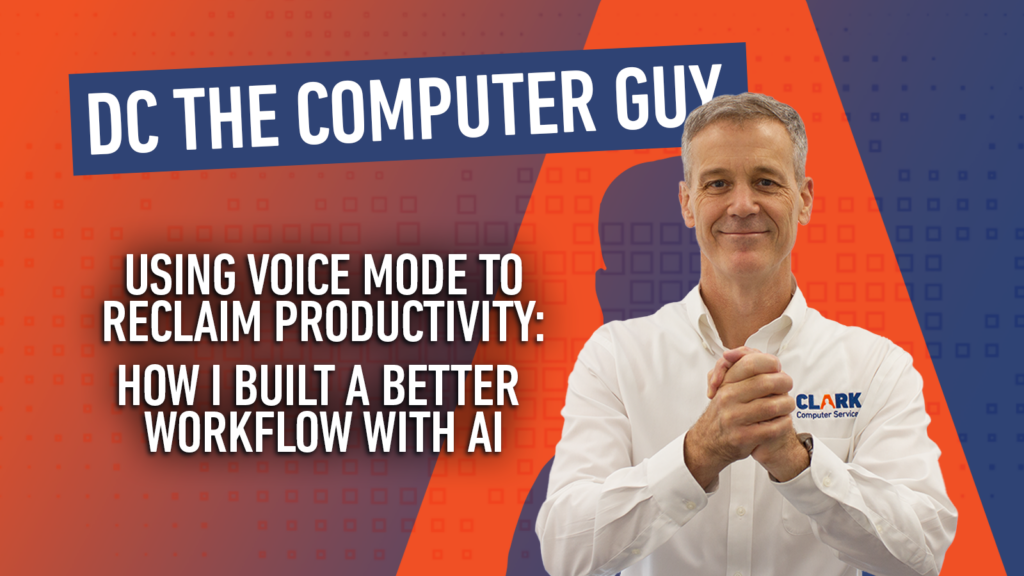
Using Voice Mode to Reclaim Productivity: How I Built a Better Workflow with AI
DC THE COMPUTER GUY
For over thirty years, since I entered the professional workforce right after college in 1995, I’ve been obsessed with productivity. My calendar’s always full, my days are long, and as I’ve grown into my role, finding time to add more work has become nearly impossible. Like many business owners and executives, I was constantly looking for better workflow tools and practical ways to improve productivity without sacrificing more personal time, and then about two years ago, I discovered something that fundamentally changed how I work: voice mode on AI platforms like Claude, ChatGPT, and Gemini.
Finding a Better Workflow with AI
Here’s the problem I was solving: I’d been writing blogs, proposals, and marketing content the traditional way, by waking up at four in the morning, sitting at my desk before my family woke up, and spending two to three hours crafting each piece. I’m a morning person, so those early hours worked for me, but the time commitment was eating into my flexibility. I needed a better way.
The breakthrough came when I realized I could use drive time and my daily walks to do the thinking work, and let AI handle the assembly. Now, instead of blocking out hours at a desk, I speak my thoughts into voice mode as they come to me, with no structure or overthinking, just freestyling thoughts about whatever I’m trying to create. I don’t worry about organizing it perfectly because I’m relying on AI to find the structure later. Suddenly, AI workflow tools became less about technology and more about reclaiming unused time during the day. Instead of losing hours sitting at a keyboard, I could use the time already built into my schedule to move projects forward.
Capturing Those Freestyle Thoughts
One of the biggest misconceptions about AI-assisted writing is that the AI does all the work. That’s not how I use it, and not how anyone should ever use it. For me, the value comes from capturing ideas naturally and quickly while they’re still fresh in my mind.
When I use voice mode in ChatGPT, Claude, or Gemini, I’m not carefully dictating polished paragraphs. I’m talking through concepts, ideas, reactions, and rough thoughts in real time. Whether it’s content for a blog, a proposal, a business strategy, or marketing content, the important thing is that I keep moving instead of getting stuck trying to structure every sentence before I even start. That ability to quickly capture ideas has completely changed my business productivity workflow.
Editing Still Matters
When I sit down to review what AI has drafted, I do two things. First, I remove the AI voice and make sure the content sounds like me. Second, I fact-check myself by reading through it section by section to ensure the narrative is true to how I actually think and what I actually meant. It usually only takes one revision to get me there, but if something doesn’t feel right, I’ll go back to the AI with specific feedback, which helps me nail the rewrite.
The time savings are significant. What used to take two to three hours now takes under an hour total. But here’s what matters more: I’m not cheating. I’m still putting in the work to ensure the blog reflects my voice and my thinking. At the end of the day, it’s about using AI as a tool to reduce the amount of time these tasks take while improving the overall quality of the work, and I think that’s an important distinction for professionals learning to use AI productivity tools effectively. AI works best when it supports your thinking, not replaces it.
Getting Comfortable with Voice Mode
I’ll be honest, when I first started talking to AI during walks and drives, it felt awkward. But I pushed past that discomfort, and within weeks it became natural. My advice to anyone considering this: try it. Get past the initial weirdness, and you’ll find yourself more comfortable than you expected.
Now, I can have a conversation with AI about any topic, and I get to drive the learning in whatever direction I want. I can ask clarifying questions, restate what I’ve heard to confirm I understand, and ask without any inhibition. There’s no judgment, no feeling like my question might be dumb. That freedom changes everything about how fast I can learn, how deeply I can understand something, and how willing I am to keep asking questions until it finally clicks. For executives, business owners, and professionals trying to stay current with technology, conversational AI creates a completely different learning experience. Instead of passively consuming information, you can interact with it naturally and explore topics in real time.
Using Voice Mode for Email Productivity
Beyond content creation, I’ve found voice mode to be invaluable for managing email. At night, when I’m walking the dogs, I dictate responses or draft messages using voice mode. By morning, I already have rough drafts ready to review and send. I simply paste them into emails, do a quick refinement, and hit send. Tasks that used to take me 30 minutes or more now take 5. That kind of workflow automation adds up quickly over a week, and I’ve found that small improvements in repetitive tasks like these create more room for focused work and better decision-making.
Reclaiming Time Without Sacrificing Quality
The real win here isn’t just about saving my early mornings, though that matters; it’s about having a choice in how I spend my time. Those early hours used to be locked into content creation, but now they’re free to focus on other productive work. My evenings and weekends, when my family is around, are more for them, allowing me to be present without that nagging feeling that I’m falling behind on the business side of my life.
If you’re a business owner or executive trying to produce more, produce better, and get things done without sacrificing your personal time, voice mode might be the tool you’ve been looking for. The awkwardness fades fast, the productivity gains are real, and once you get past the initial strangeness of talking to an AI, it just becomes part of how you work. To discuss how AI can help your business, give us a call at 301-456-6931 or email [email protected] for a free consultation and see how our experience can help you take advantage of this next wave of technology.